ekinex
Scenarios

Scenarios

A scenario is a set of appropriate combinations of commands, controls and integrated system adjustments, also alternated by timings that can be recalled graphically or through logic, planning and events.

Custom Scenarios and Control Sequences

A scenario is a set of appropriate combinations of commands, controls and integrated system adjustments, also alternated by timings that can be recalled graphically or through logic, planning and events.

Thanks to Delégo, the user can create one or more scenarios in complete autonomy, without having to ask for an intervention from the programmer or installer. The simplest scenarios are those that are recalled with a single command, when you exit and re-enter the house, however, it is also possible to interpose between the command actions of a scenario one or more standby commands, which delay the execution of subsequent actions and thus allow you to create sequences articulated over time. Whether you are looking for comfort, safety or atmosphere, there is virtually no limit to the scenarios that can be realized with Delégo.

Create a New Scenario

Create a New Scenario

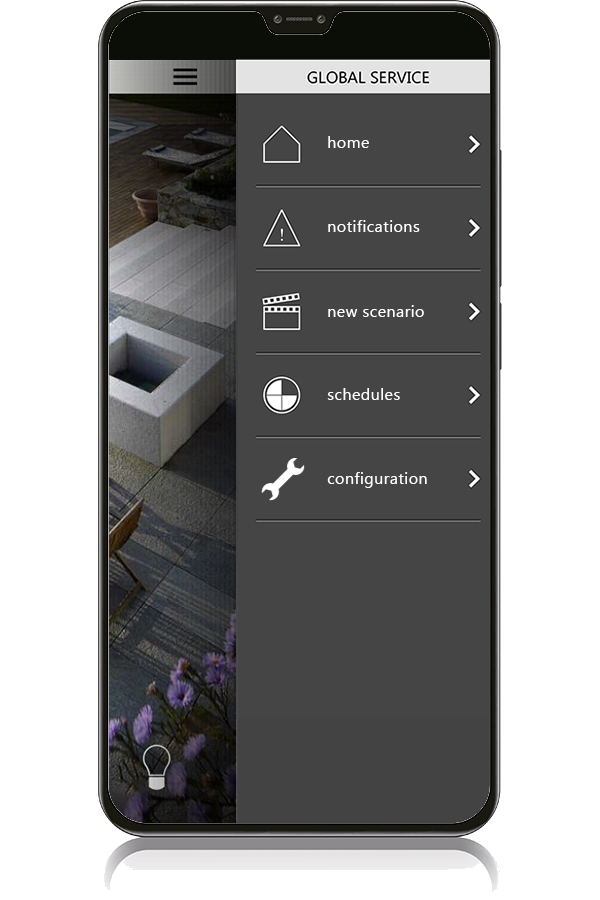
Create a new scenario by accessing the Global Service menu and selecting New Scenario.

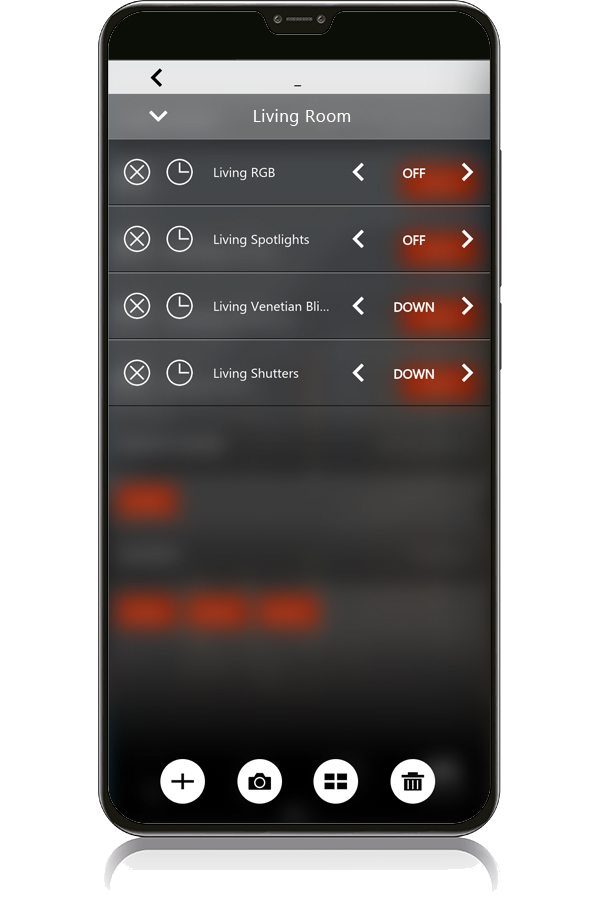
Action and Terminal Selection

Action and Terminal Selection

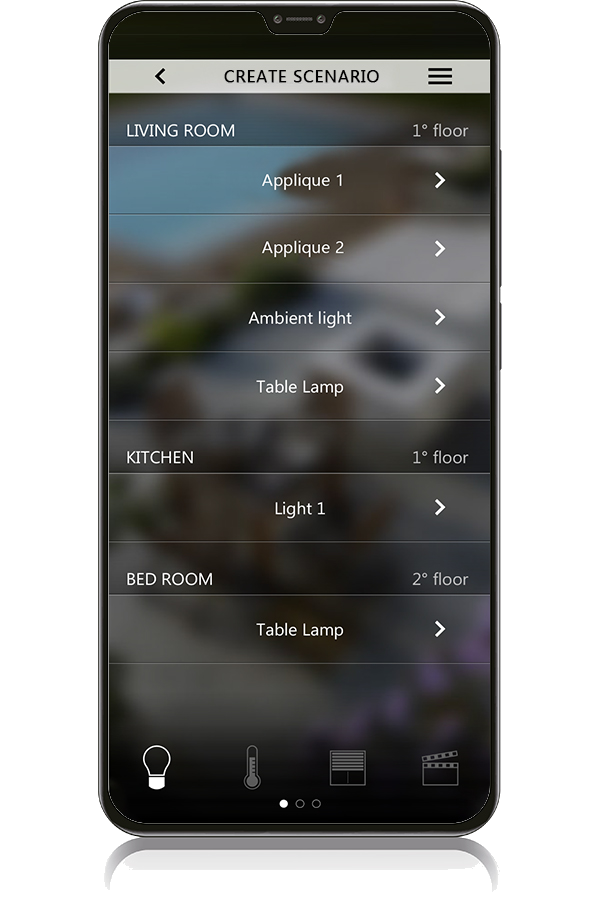
The actions to be performed in the scenario can be chosen from a list of all the terminals configured in the building, grouped by function type (e.g. lighting, motorizations, climate).

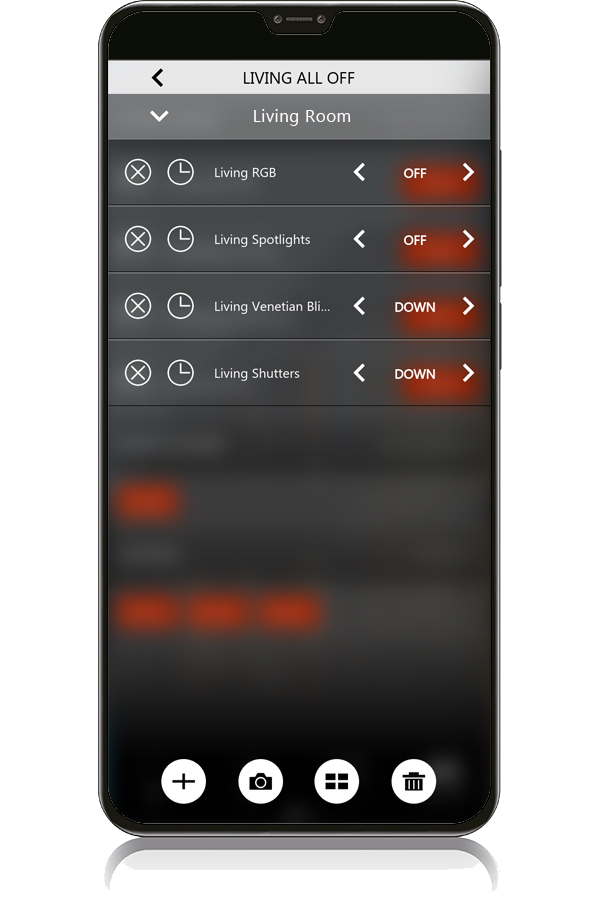
Edit and Delete Activities

Edit and Delete Activities

Each activity entered in the sequence can be modified and/or deleted by the user.

Reorder Actions Sequence

Reorder Actions Sequence

The order of actions to be performed can be easily changed in the Delégo app.

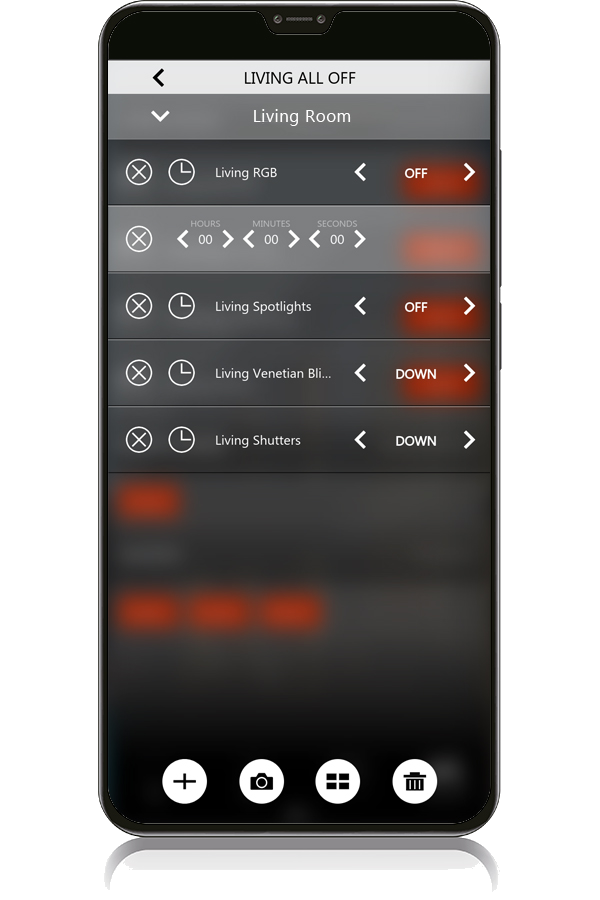
Insert Delays Between Actions

Insert Delays Between Actions

Delays can be inserted between actions to customize the sequence, for example, by marking the lights on or off in a room according to personal taste.

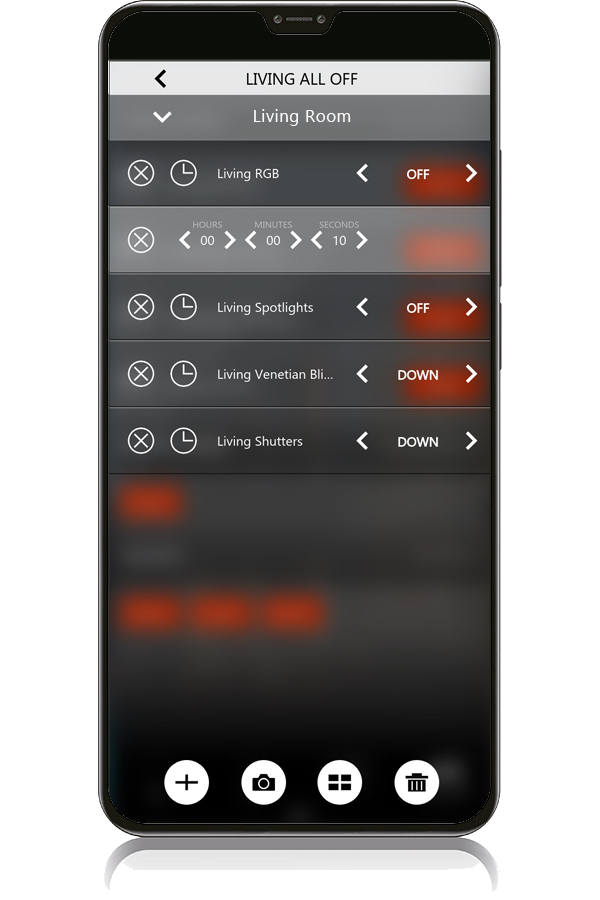
Precise Delay Time Picker

Precise Delay Time Picker

The picker recalled by the app allows you to select the desired delay between the actions of the sequence in a precise way.

Scenario Configuration and Management Options

This function allows you to create a scenario according to your needs, inserting all the actions chosen among the various functions that Delégo offers (lighting, motorizations, thermoregulation etc.).

Once the different functions are associated to a scenario, the user, through the 'Capture' button, can store their status, making it even more convenient to configure or modify the scenarios over time.

In this way, the user can, for example, turn on the lights and bring them to the desired intensity, operate the shutters and decide the desired temperature of the area: with a simple click he can create the new scenario and can call it up through the command on the app. Another useful feature for the user are the programmable delays that can be easily inserted between one action and the next.

Options available in the visualization environment:

Change scenario name
Change the order of actions
Insert one or more delays between actions
Add further actions or remove existing actions
Remove the scenario

The scenario created with Delégo can easily be synchronized on the Ekinex cloud and executed by voice command given to an Amazon or Google smart-speaker in the house (example, 'Alexa, run turn off home').