

Schedule Time
Delégo allows you to plan on a weekly and hourly basis the behavior of all the elements that belong to the home automation system.
Your Routines
Delégo allows you to plan on a weekly and hourly basis the behavior of all the elements that belong to the home automation system.
The graphic components of the project can be prepared for hourly programming: the server sends the commands at the selected time even when absent from the building, completely automatically.
In desktop display environments and mobile apps, the user can create, edit and delete time programs by defining start time and event value.
The user has an unlimited number of time programs on a weekly basis through which he can schedule the switching on and off of building functions, the dimming level of the lighting or the recall of dimming on the climate controllers.
Creating and Editing Events
For each program, the user can enter at the set time the desired status change events that correspond to predefined characteristics of all visible graphic components:
The event can be activated on the desired days of the week, periods of absence or vacations can be excluded; at any time the hourly program can be temporarily suspended.
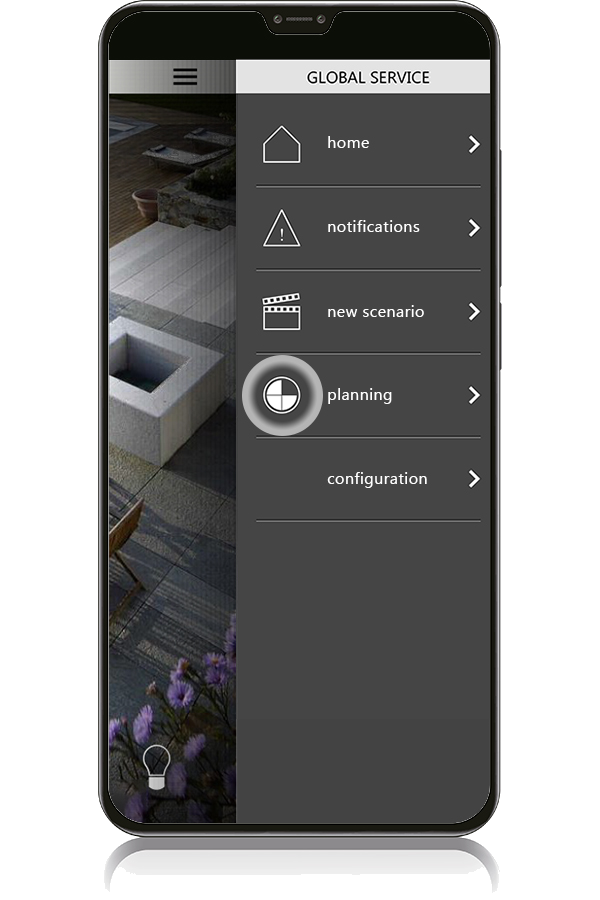
Access to Schedules
To view the configured schedules, access the Global Service context menu and select Schedule.
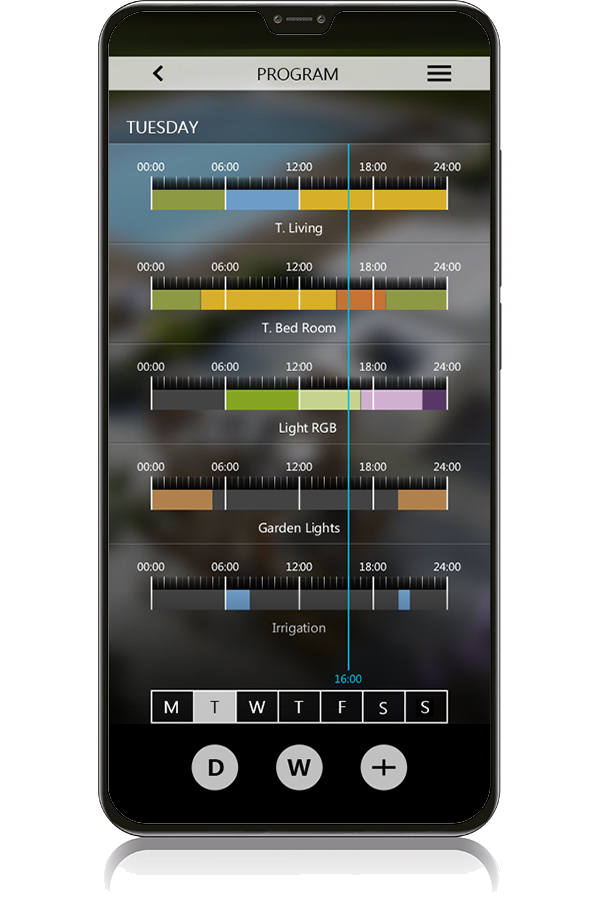
Daily and Weekly Overview
All time schedules configured on the system are shown with a view of the current day or a selected day of the week.
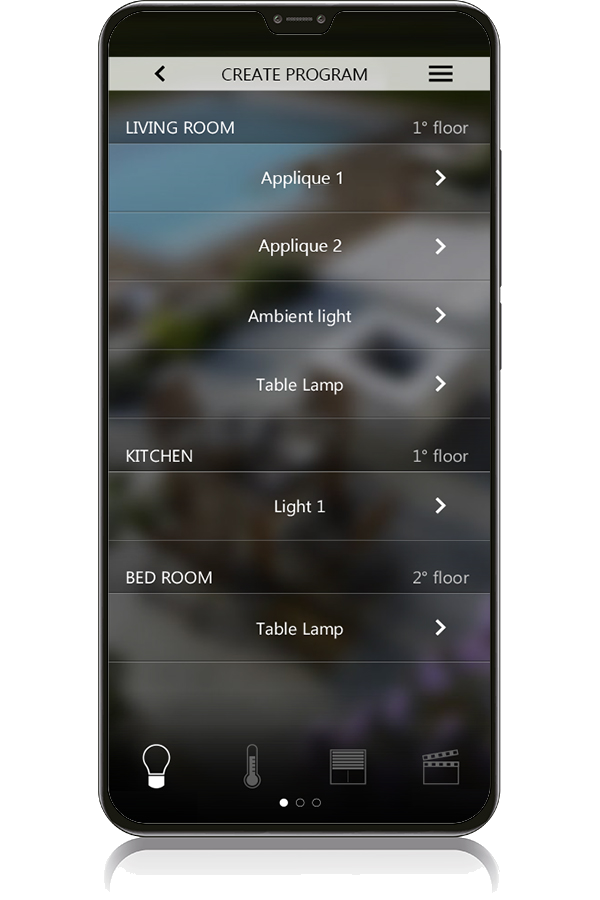
Function and Device Selection
The building function to which a new scheduling can be applied can be chosen from a list of all configured terminals, grouped by function type (e.g. lighting, motors, climate).
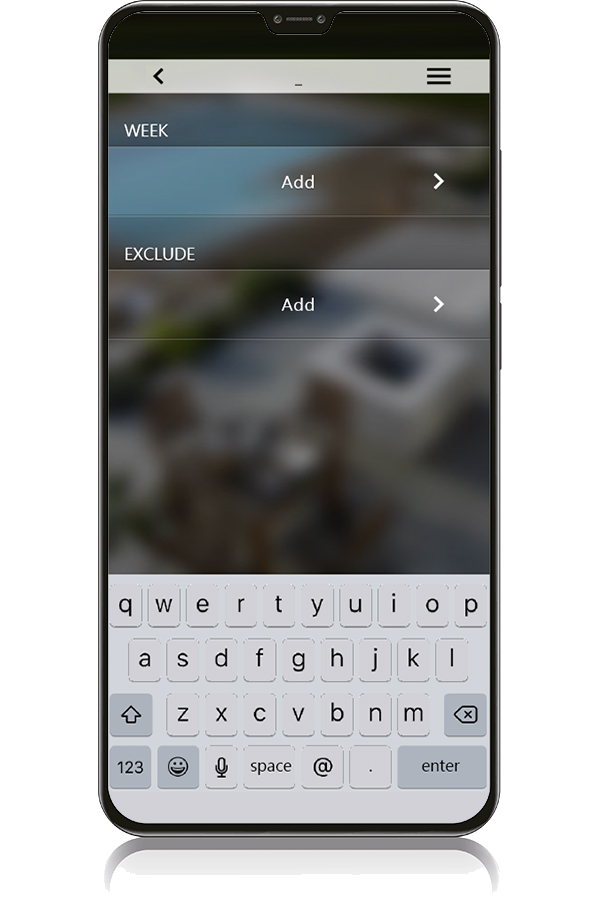
Time Slots and Excluded Days
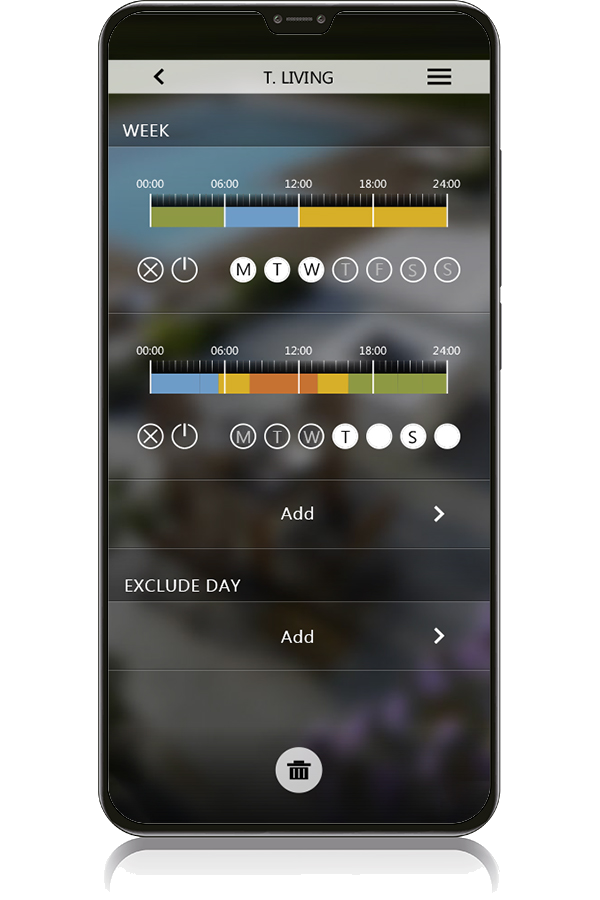
Each schedule consists of events that are valid in a specific time slot and for selected days of the week; it is possible to introduce days of the year that are excluded from the ordinary schedule.
Custom Day Groups
You can create specific programs for different groups of days of the week, tailoring schedules to distinct weekly routines.
Event List Management
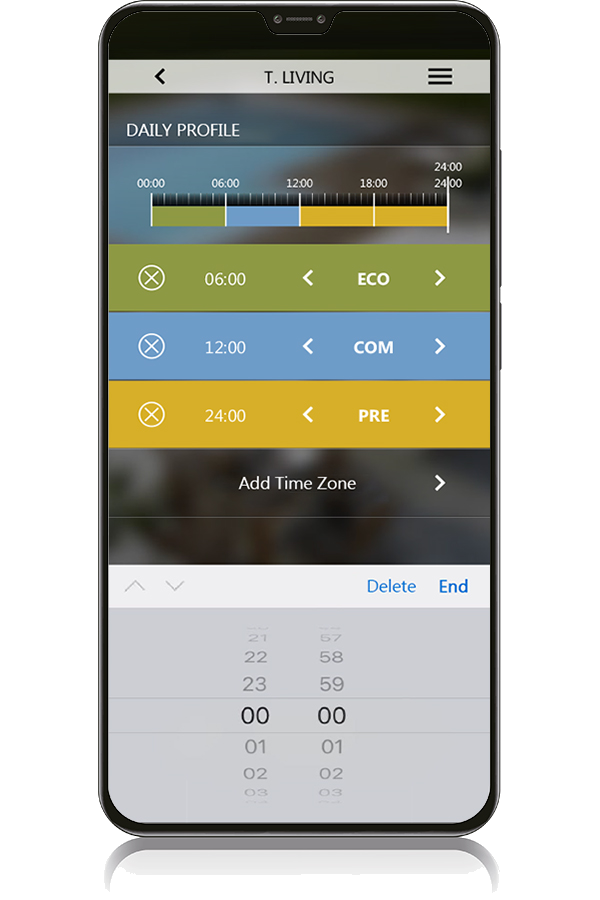
The list of scheduled events can be easily viewed, organized and modified directly from the intuitive user interface.