
Description
EK-50Q-AU is a multi-room system that enables you to enjoy your favorite music anywhere in your home. EK-50Q-AU contains 4 audio amplifiers for you to connect to 4 sets of stereo speakers. Each zone also contains analog and digital audio inputs and outputs for versatile system architecture.
You can easily play music from online music services, your phone storage, NAS and other sources by using the SENTIO app on your iOS or Android device. Play the same song in every zone in perfect sync or stream different tracks simultaneously in each room.
System Requirements
High Speed Internet Connection
EK-50Q-AU needs an internet connection to stream music from online music services and to receive online firmware updates.
Wireless Router
In order to use EK-50Q-AU, you will need to have a working Wi-Fi network in your home, since the control app on your mobile device must be on the same network as the streamer.
Specification
System & Connection Architecture
Detailed panel layouts, rack installation, zone matrix architecture, and connection topologies for EK-50Q-AU.
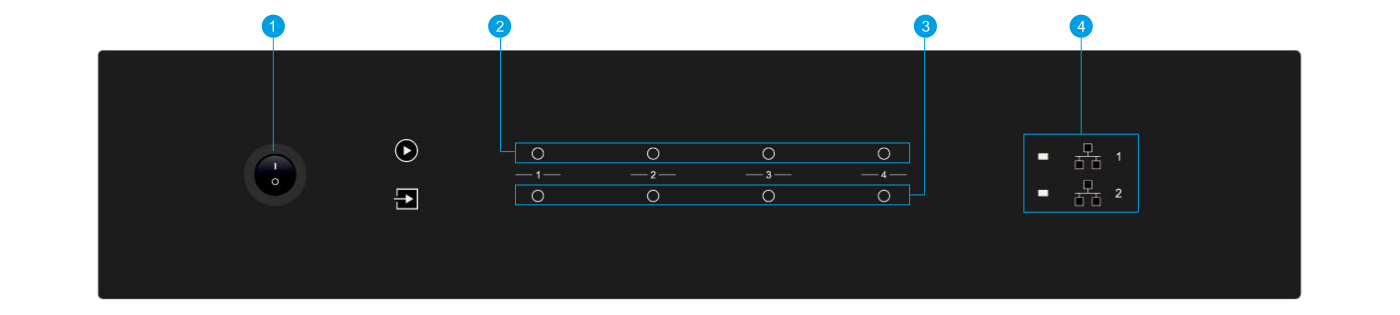
Front Panel Architecture
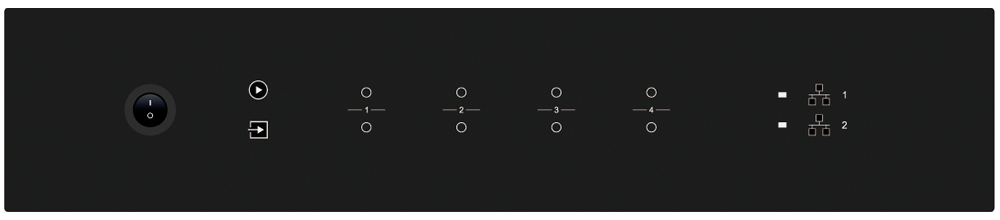
Power button, streaming status indicators, and input source LEDs (White: Network Audio, Green: Zone Line In, Yellow: Master Line In, Magenta: Master Optical In, Cyan: Master Coaxial In, Red: USB).
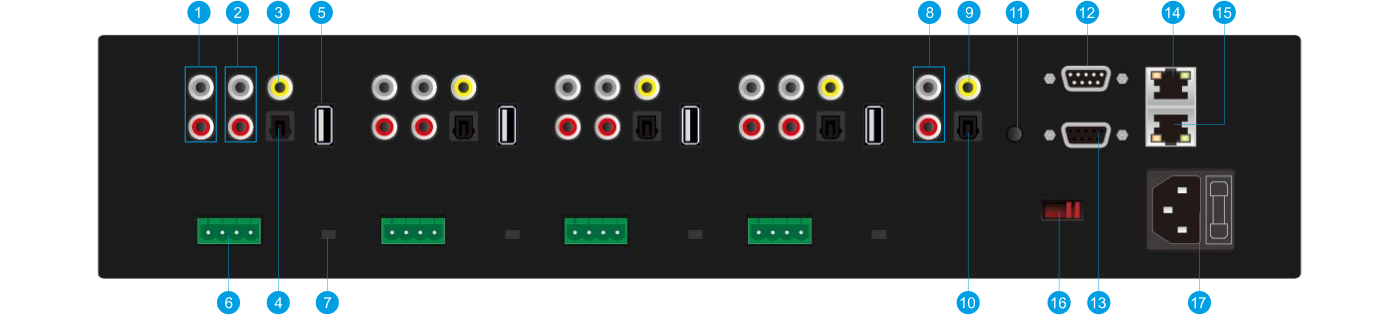
Back Panel Interface
Independent Pre-Out, Line-In, Optical In, Coaxial Out, USB port, Phoenix speaker terminals, Stereo/Bridge mode switch per zone alongside Master audio inputs and RS232 serial control ports.
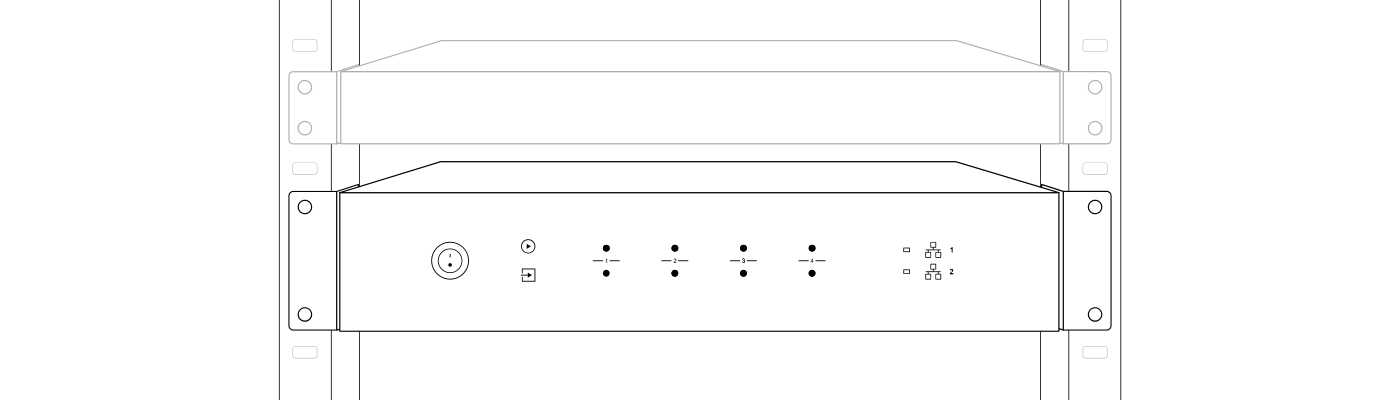
Placing your EK-50Q-AU
EK-50Q-AU has a standard 2U profile. Using the included mounting brackets, it easily installs into a standard EIA 19-inch equipment rack.
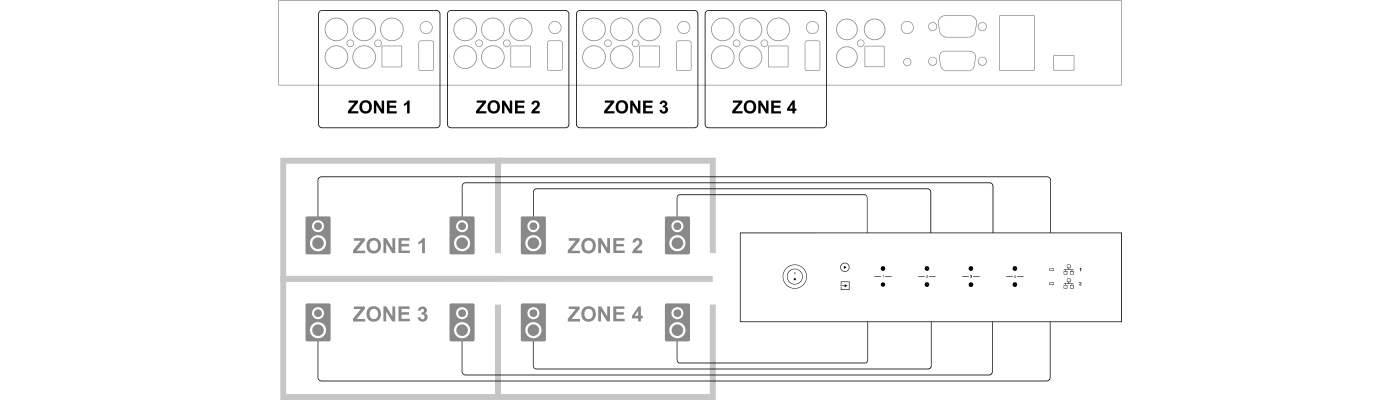
Zone Connection
You can play the same audio source in all four zones simultaneously, or play different audio sources across individual zones.

Connect Your Speakers
Connect stereo speakers using Phoenix connectors (4 - 8 ohms). You can also switch to Bridge mode (BR) to power a single high-power mono speaker (2 - 4 ohms, 100W).
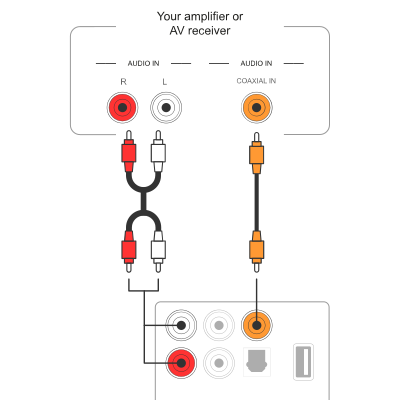
Connect to External Amplifier or AV Receiver
Connect the LINE OUT pre-amp output to the input of an external power amplifier or AV receiver to integrate with high-power systems.
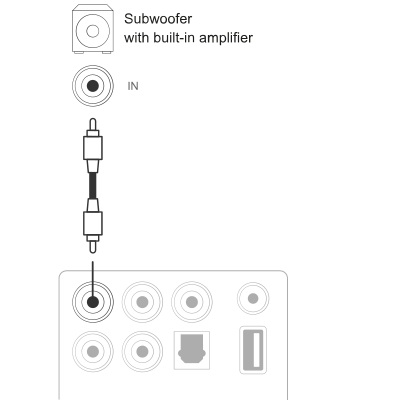
Connect to External Subwoofer
Connect the LINE OUT 'L' output to an active subwoofer or subwoofer amplifier to enhance low frequency performance.
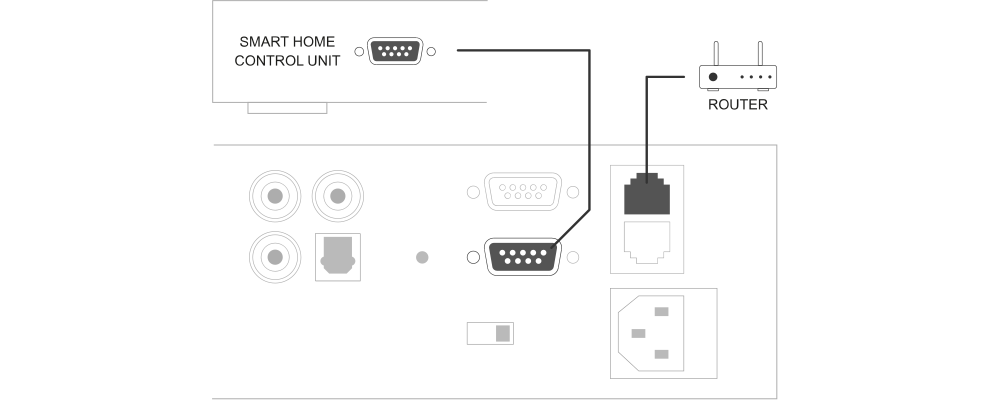
Connect to Network & Pass-Through
Connect EK-50Q-AU to your router using a LAN cable. Use the NETWORK OUT port to daisy-chain another device to the same local network.
Functions / Features
Configuration and Commissioning
Installation, electrical connection, configuration and commissioning of the device can only be carried out by qualified personnel. Opening the housing of the device causes the immediate end of the warranty period.
Technical Documentation
Download official datasheets, installation instructions and certificates.