
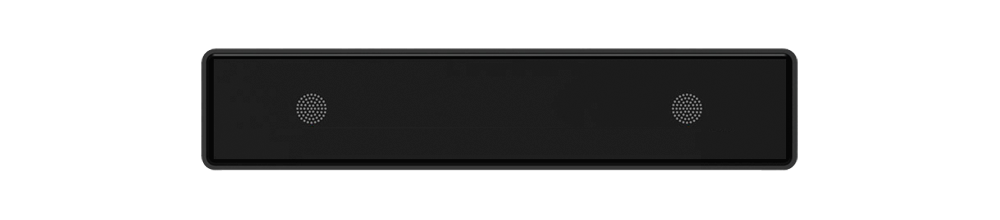
Description
EK-30S-AU is an Ethernet, WiFi and Bluetooth 5.0 stereo amplifier. Connecting EK-30S-AU to your current home audio system will enable you to stream music from your smart device, USB, NAS or online streaming services such as Spotify and many more using our free to download SENTIO APP, Airplay or DLNA apps.
By adding multiple units to your home audio system, you can setup an Ethernet or wireless multiroom whole-house audio system, providing a new and extraordinary experience to enjoy your favourite music.
Specification
Interface & Connection Ports
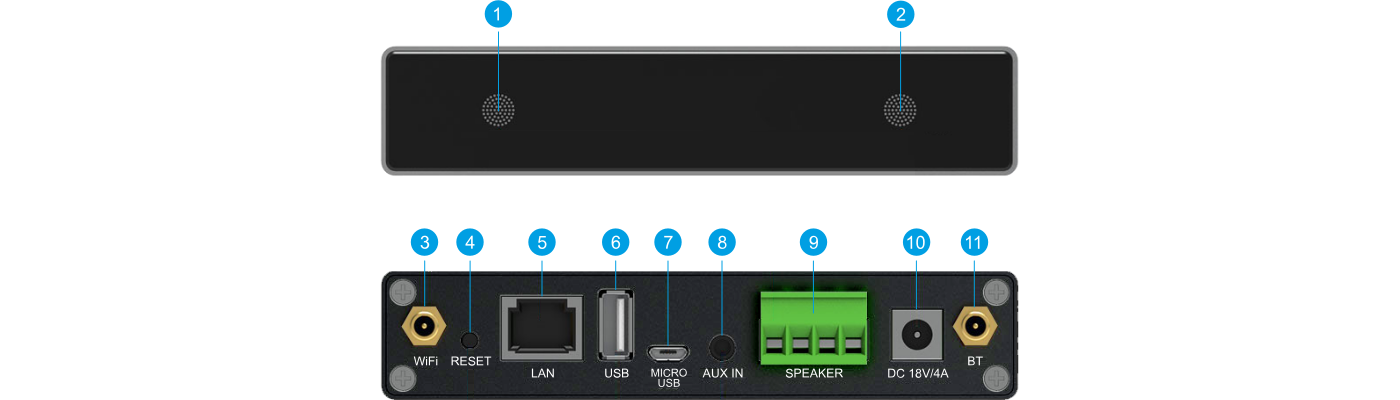
Status LED
Shows the device operating status, network and Bluetooth connection.
IR Receiver
Integrated infrared receiver for remote control operation.
WiFi Antenna Connector
Connects external antenna for optimal wireless network coverage.
RESET Button
Short press once: Switch input mode; Long press: Switch on/off; Short press twice: Re-pair WiFi or Bluetooth; Short press three times: Restore to factory settings.
LAN Port (RJ45)
Wired Ethernet network connection to your router.
USB Host Port
To connect USB pen drive for local music playback (up to 1024 tracks).
Micro USB Port
For connection to PC to act as an external DAC.
AUX IN (3.5mm)
For external audio sources from TV, CD player and other line-level devices.
SPEAKER Out
Phoenix screw terminal to connect passive speakers (4 - 8 ohms).
DC Power Input (18V/4A)
Connect to the dedicated DC power adapter.
BT Antenna Connector
To connect external antenna for Bluetooth 5.0.
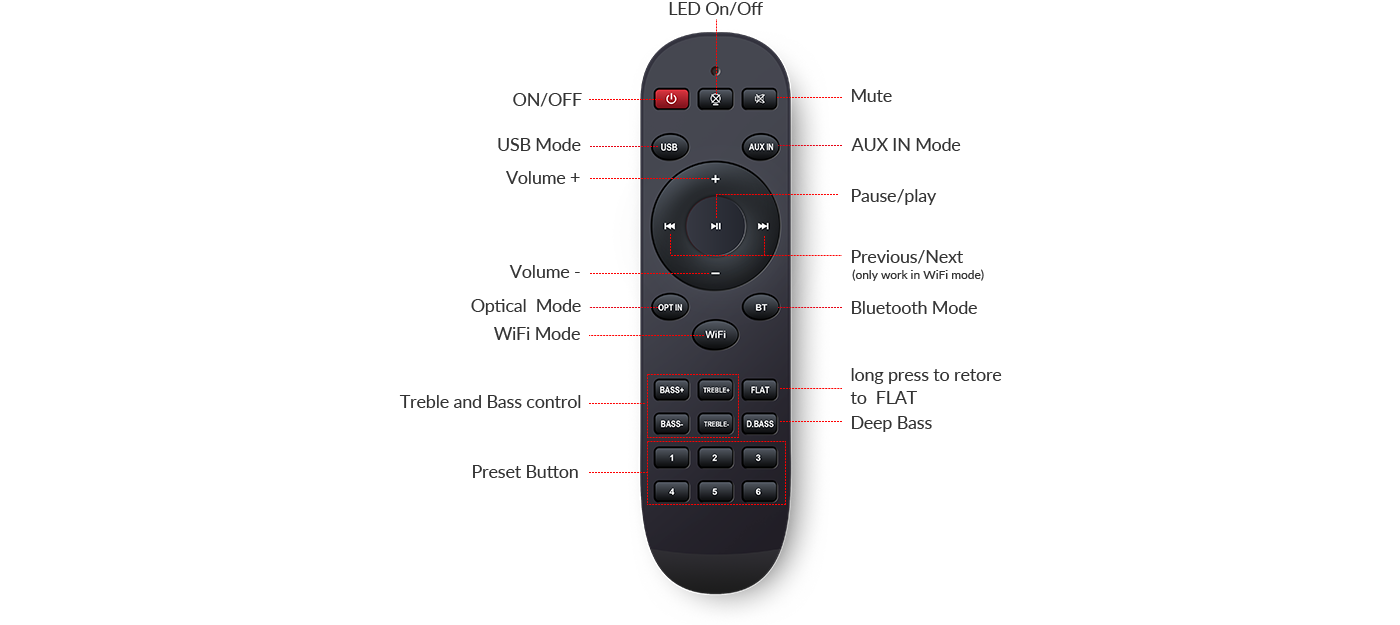
Remote Controller
Full function remote controller to use without a mobile device. Provides instant access to volume, input source selection, preset playlists, and equalizer adjustments with a single touch.
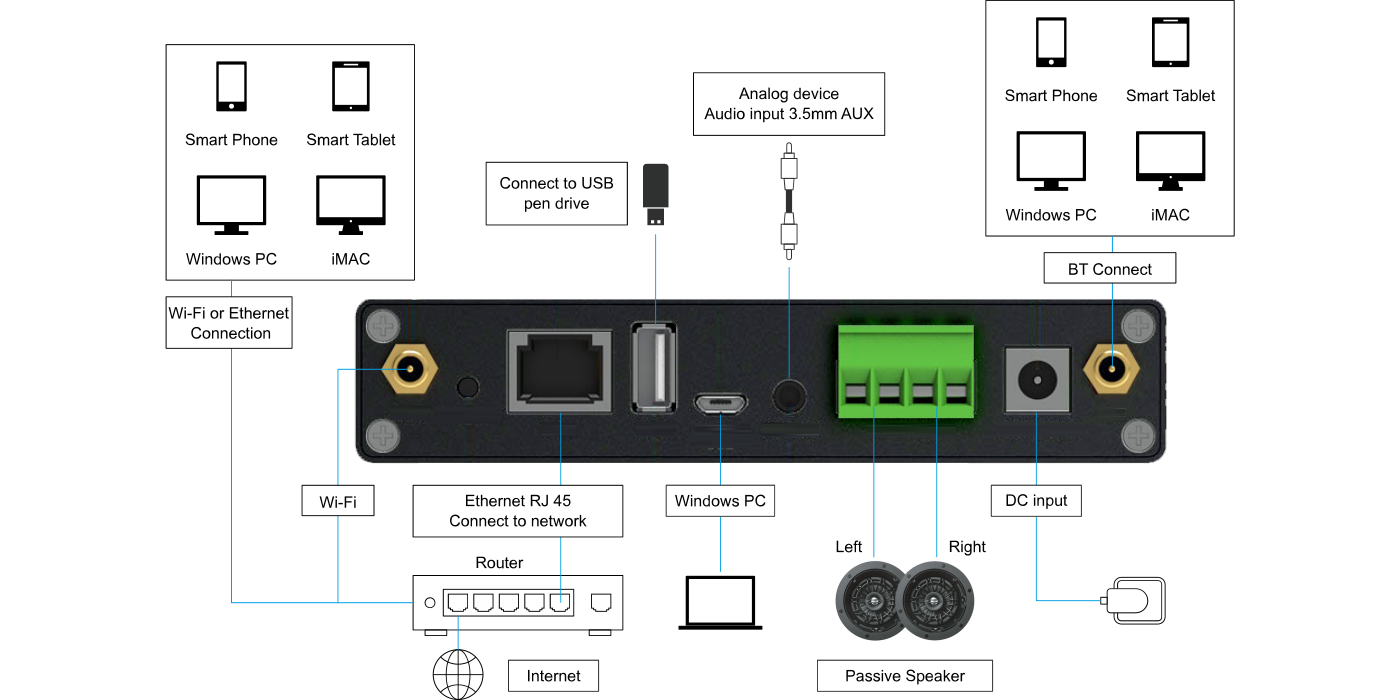
Connection Diagram
Detailed wiring architecture showing the integration of the EK-30S-AU unit with passive speakers, analog audio sources, PC DAC, USB storage, and local network.
Functions / Features
Configuration and Commissioning
Installation, electrical connection, configuration and commissioning of the device can only be carried out by qualified personnel. Opening the housing of the device causes the immediate end of the warranty period.
Technical Documentation
Download official datasheets, installation instructions and certificates.